
Overview
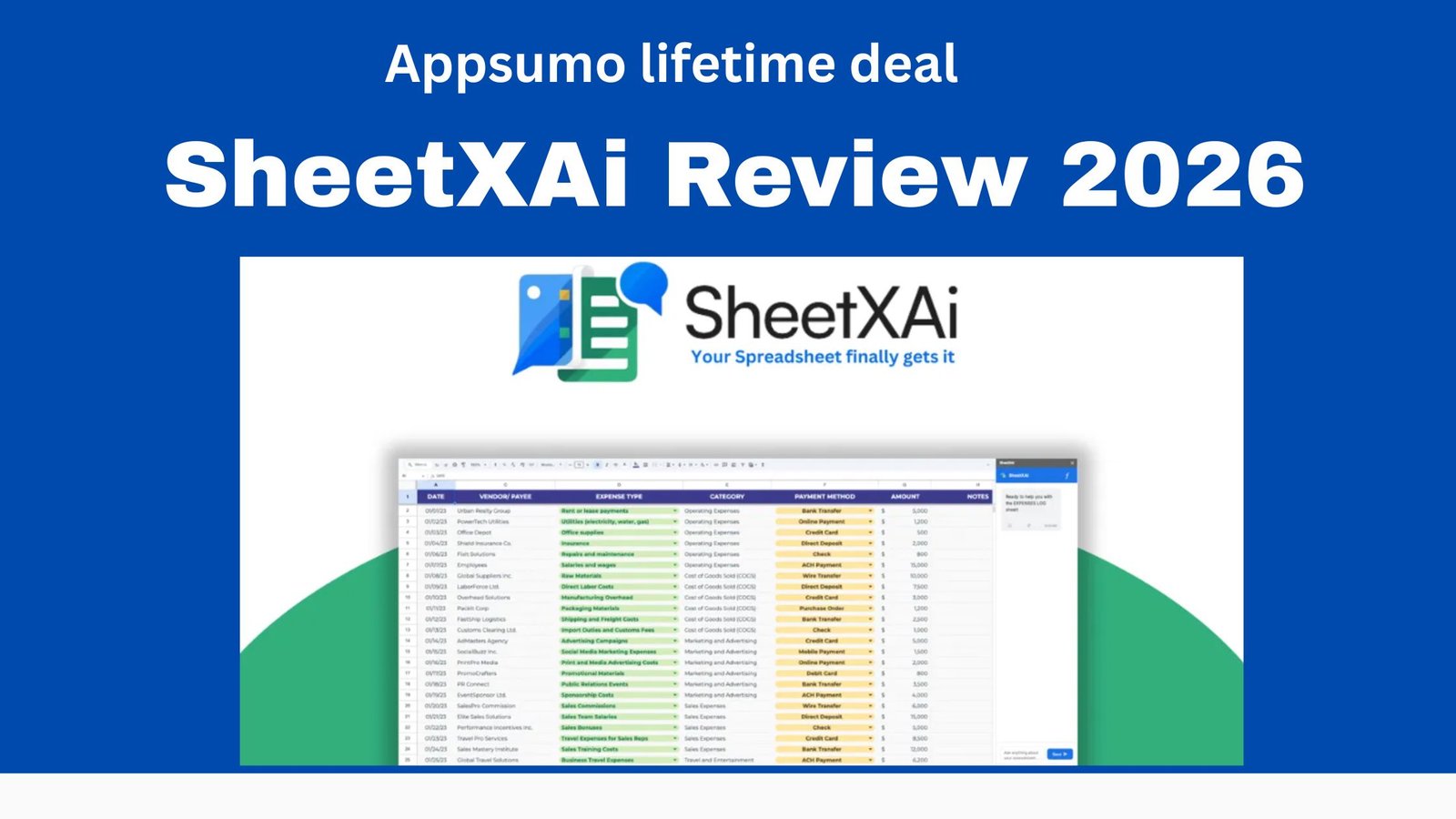
SheetXAI Review 2026 explores how this AI-powered spreadsheet assistant helps users automate Excel and Google Sheets tasks with simple natural-language instructions. Instead of manually creating complex formulas, users can ask SheetXAI to analyse data, find duplicates, match information, generate formulas, clean spreadsheets, and perform repetitive tasks.
One of its notable features is AI-powered data extraction, which can convert PDFs, scanned documents, and images into structured spreadsheet data. It also supports bulk AI content generation, allowing users to create product descriptions, SEO meta tags, emails, and summaries directly within spreadsheet workflows.
In this SheetXAI Review 2026, we will look at its key features, AI automation capabilities, integrations, pricing model, pros and cons, use cases, and overall value for business owners, marketers, researchers, and spreadsheet-heavy professionals. The platform has also received significant updates during 2026, including AI agents, web search, cross-sheet formulas, additional AI models, and improved Excel reliability.
Get SheetXAI Review 2026 Appsumo Lifetime deal
What Is SheetXAI?
SheetXAI is designed for people who regularly work with spreadsheets but don’t want to spend hours creating formulas, cleaning datasets, or processing rows manually. SheetXAI Review 2026 highlights how the platform uses natural-language commands to automate common spreadsheet tasks directly within Excel and Google Sheets.
You can give instructions such as:
“Find duplicate customers.”
“Match emails between these two sheets.”
“Calculate monthly growth.”
“Generate product descriptions for every row.”
“Create a summary of this dataset.”
The AI understands the spreadsheet context and can assist with analysis, formula creation, data processing, and task automation.
It works with both Google Sheets and Excel, with SheetXAI available through an integrated sidebar/add-in, so users can give commands without leaving their spreadsheet workflow.
Key Features
-
AI Spreadsheet Automation This is the core feature.
SheetXAI can automate repetitive spreadsheet operations including:
- Sorting and filtering
- Finding duplicates
- Matching data
- Calculations
- Data transformation
- Formula generation
- Bulk processing
It can process thousands of rows rather than requiring you to manually repeat an operation.
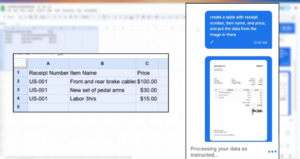
2.PDF and Image to Excel One particularly useful feature is document extraction.

You can upload PDFs, images, or scanned documents, and SheetXAI can extract structured information into spreadsheet tables. This could be useful for invoices, forms, receipts, and other documents.
3.AI Content Generation SheetXAI can turn a spreadsheet into a content-generation workflow.

For example, you could have columns for:
Product | Audience | AI Output
and generate:
- Product descriptions
- SEO meta descriptions
- Emails
- Summaries
- Company descriptions
- Marketing copy
It also supports bulk content generation and multiple languages.
4.Data Cleaning For large spreadsheets, cleaning data manually can be extremely time-consuming.
SheetXAI can help with:
- Duplicate removal
- Formatting standardization
- Data validation
- Matching records
- Cleaning datasets
This makes it particularly interesting for business users handling customer, inventory, sales, or lead data.
6.Business Integrations
SheetXAI says it can connect with thousands of business applications, including services such as Notion, Stripe, HubSpot and Jira, allowing spreadsheet data to be pulled from or pushed to connected services.
SheetXAI Pricing 2026 Visit affihub.io
SheetXAI currently uses a credit/operation-based system rather than simply charging for every individual spreadsheet row.
The company’s current pricing information describes:
- Light operation: around 10 credits
- Heavy operation: around 50 credits
- Content row: around 2 credits per row
Light operations are intended for everyday tasks such as sorting, deduplication, summaries and simple charts, while heavy operations are aimed at more complex analysis and financial modelling.
An important point is that some large spreadsheet operations can still count as one operation, rather than charging separately for every row.
SheetXAI also advertises a 7-day free trial without requiring a card.
Appsumo Lifetime Deal
SheetXAI has also offered an Appsumo lifetime deal. Its setup guide lists four historical tiers:
| Tier | Price shown | Seats |
| Tier 1 | $39 | 1 |
| Tier 2 | $129 | 3 |
| Tier 3 | $199 | 5 |
| Tier 4 | $299 | 25 |
The AppSumo offer included features such as the Google Sheets AI Agent, natural-language commands, advanced analytics and bulk automation.
Important: Appsumo pricing/deal availability can change, so these should not be treated as the current purchase price.
Pros & Cons
Pros |
Cons |
| ✅ Works with both Excel and Google Sheets | ❌ Advanced features can have a learning curve |
| ✅ Uses natural-language commands, so coding or complex formulas aren’t always required | ❌ The wide range of features may feel overwhelming for beginners |
| ✅ Supports bulk operations and large-scale spreadsheet workflows | ❌ AI-generated results should still be reviewed for accuracy |
| ✅ Can extract structured data from PDFs, images, and scanned documents | ❌ Heavy or complex operations can consume more credits |
| ✅ Generates product descriptions, SEO content, emails, and summaries in bulk | ❌ Not necessary for users who only perform simple spreadsheet tasks |
| ✅ Supports integrations with business tools such as Notion, Stripe, HubSpot, and Jira | ❌ Some advanced workflows require paid usage |
| ✅ Can work across multiple sheets and spreadsheets | ❌ More feature-rich than simpler spreadsheet AI assistants |
| ✅ Offers AI-powered formulas, charts, reports, and automation | ❌ Users may need time to learn advanced automation features |
Who Should Use SheetXAI?
Best for:
- Small-business owners
- Data analysts
- Accountants
- Marketing teams
- SEO professionals
- E-commerce sellers
- Sales teams
- Researchers
- Freelancers
- People working with large Excel/Google Sheets files
SheetXAI vs Traditional Excel
| Feature | Traditional Excel | SheetXAI |
| Manual formulas | Often required | AI can generate them |
| Data cleaning | Manual | AI-assisted |
| Bulk processing | Possible | AI-assisted |
| Natural-language commands | Limited | Yes |
| PDF/image extraction | Requires additional tools | Built in |
| AI content generation | Requires other AI tools | Yes |
| Complex analysis | Manual setup | AI-assisted |
| Google Sheets support | Yes | Yes |
| Excel support | Yes | Yes |
Final Verdict
SheetXAI Rating: 8.5/10
SheetXAI is a compelling spreadsheet-AI tool in 2026, especially for users who regularly handle large datasets, repetitive Excel/Google Sheets tasks, data cleaning, content generation, and document extraction. In this SheetXAI Review 2026, the platform stands out for helping users automate complex spreadsheet workflows without requiring advanced technical skills.
Its biggest advantage is the ability to tell your spreadsheet what you want in plain English instead of manually building formulas and repeating operations. This makes SheetXAI Review 2026 particularly relevant for business owners, marketers, analysts, and professionals who work with spreadsheets every day.
The biggest concern is the credit-based pricing model. Heavy users should calculate their expected monthly usage before committing, because complex operations can consume substantially more credits.
Overall: If spreadsheets are an important part of your daily workflow, SheetXAI is worth trying. For occasional or basic spreadsheet users, the free trial is the best way to determine whether the productivity gains justify the cost.
FAQ
What is SheetXAI?
SheetXAI is an AI-powered spreadsheet assistant designed to help users automate tasks in Excel and Google Sheets. It can assist with formulas, data analysis, cleaning, content generation, and repetitive spreadsheet operations.
Is SheetXAI easy to use?
Yes. One of its main advantages is its natural-language interface. Users can describe what they want to accomplish instead of manually creating complex formulas or performing repetitive tasks.
Does SheetXAI work with Excel and Google Sheets?
Yes. SheetXAI supports both Microsoft Excel and Google Sheets, making it useful for users who work across different spreadsheet platforms.
Can SheetXAI generate Excel formulas?
Yes. SheetXAI can help create and work with spreadsheet formulas based on natural-language instructions, which can save time when dealing with complex calculations.
Can SheetXAI analyse large datasets?
Yes. The platform is designed for spreadsheet automation and can assist with data analysis, cleaning, matching, and other operations involving large datasets.
Can SheetXAI extract data from PDFs and images?
Yes. SheetXAI supports extracting structured information from documents such as PDFs and images and transferring that information into spreadsheet workflows.
Can SheetXAI generate content?
Yes. It can be used for bulk content generation, including product descriptions, summaries, emails, SEO-related content, and other text-based tasks.
Is SheetXAI suitable for beginners?
Yes, particularly for users who understand basic spreadsheets but don’t want to learn complicated formulas or automation techniques. However, advanced features may require some time to learn.
Does SheetXAI offer a free trial?
Yes. SheetXAI offers a trial option, allowing users to test its capabilities before committing to a paid plan. Check the current pricing page for the latest terms.
Is SheetXAI worth it in 2026?
For people who regularly work with large spreadsheets, repetitive data tasks, AI content generation, and automation, SheetXAI can be a valuable productivity tool. Users with only basic spreadsheet needs may find a dedicated AI spreadsheet assistant unnecessary.
What are the main disadvantages of SheetXAI?
The main considerations are its credit-based usage model, the need to verify AI-generated results, and the learning curve associated with its more advanced automation features.
Who should use SheetXAI?
SheetXAI is particularly useful for business owners, marketers, SEO professionals, data analysts, researchers, sales teams, and anyone who frequently works with large Excel or Google Sheets files.
More Appsumo Deal Visit affihub.io