
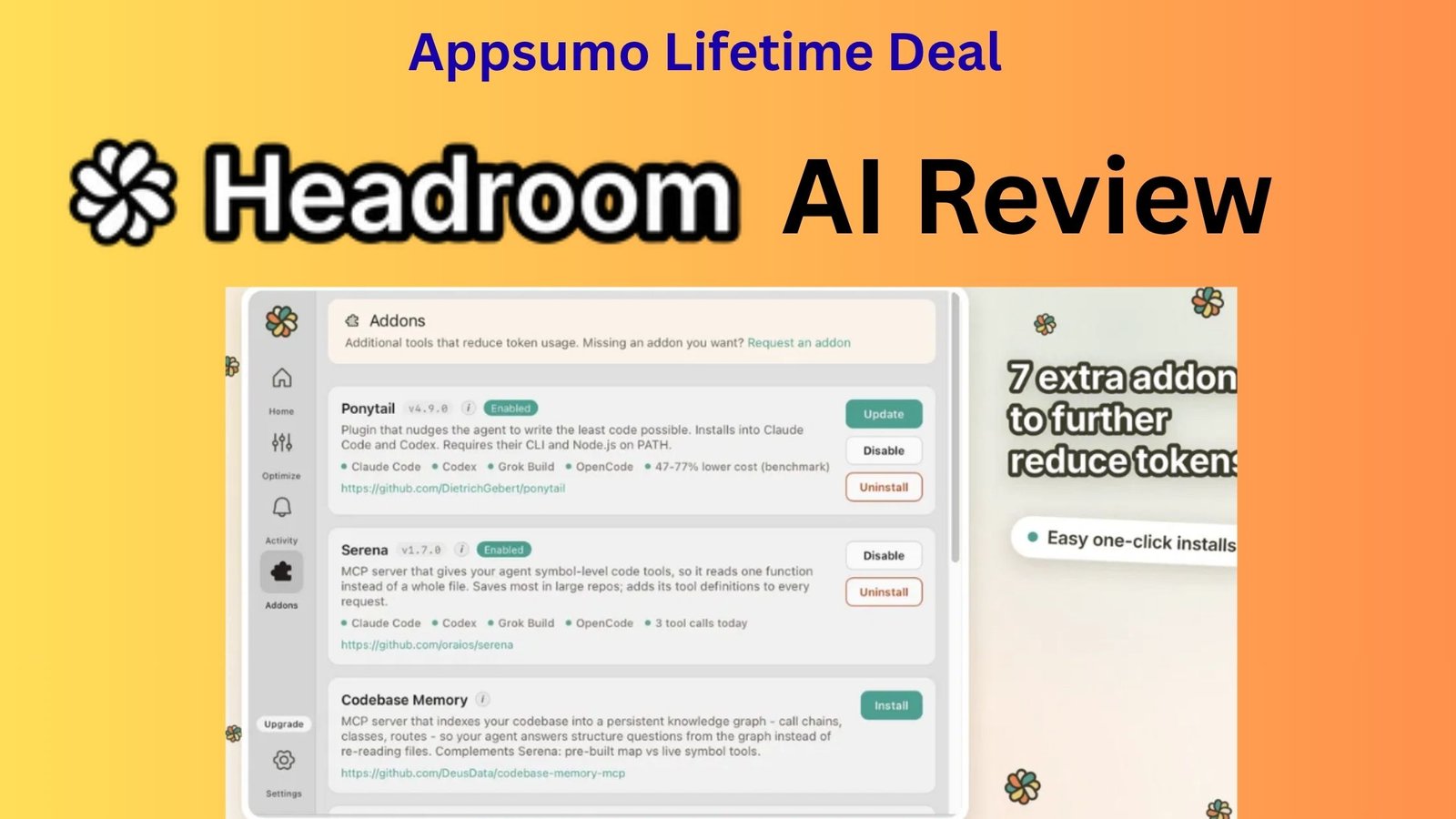








overview
Creating engaging short-form videos is an important part of growing on social media. Whether you are a YouTuber, Instagram creator, coach, educator, or digital marketer, editing videos regularly can take a lot of time. Adding captions, highlighting important words, adjusting text styles, and preparing videos for publishing can make the process even slower.
This is where Headroom AI comes in. In this Headroom AI Review, we will explore how this AI-powered video editing tool helps creators turn talking-head videos into engaging short-form content using dynamic captions, AI-assisted editing suggestions, customizable text styles, and convenient export options.
But is Headroom AI really worth trying? What features does it offer, how much does it cost, and who can benefit from using it?
In this detailed Headroom AI Review, we will examine its key features, pricing plans, advantages, disadvantages, and overall value to help content creators decide whether it is the right video editing solution for their needs.
Get Headroom AI Review Lifetime Deal
What Is Headroom AI?
As part of this Headroom AI Review, it is important to understand what the platform does and how it can help content creators. Headroom is an AI-powered video editing platform designed for talking-head videos, educational content, personal branding, podcast clips, and social media Reels.
Instead of manually creating every caption and visual effect, users can upload their videos and use Headroom’s AI-assisted editing tools to enhance their content. The platform helps creators add dynamic captions, highlight important words, customize text placement, and prepare videos for social media publishing.
Headroom AI is particularly useful for creators who regularly publish content on platforms such as Instagram Reels, YouTube Shorts, and TikTok. By simplifying repetitive editing tasks, it can help streamline the video creation process and maintain a consistent visual style across multiple videos.
Overall, Headroom AI is worth exploring for creators who want to make their talking-head videos more engaging while reducing the time
Key Features of Headroom AI
AI-Powered Video Editing
One of Headroom’s main features is its AI-assisted editing system. It analyzes the spoken content and suggests editing moments intended to make important phrases stand out.
Users can choose between different editing intensities, including Clean, Balanced, and High Energy. This gives creators some flexibility over how much motion and emphasis they want in their videos.
This feature can be useful for educational videos, motivational content, personal branding, and talking-head clips.
Dynamic and Animated Captions
Captions are essential for short-form videos because many viewers watch social media content without sound.
Headroom offers dynamic caption styles that allow creators to highlight specific words, animate text, and make captions more visually interesting.
You can customize elements such as text appearance, colors, positioning, and emphasis to match the style of your content.
These features can help make spoken information easier to follow, particularly on mobile screens.
Support for Hindi, Hinglish, and Regional Languages
One notable feature of Headroom is its support for multilingual captioning, including Hindi, Hinglish, and several Indian regional languages.
This can be useful for Indian creators who communicate in a mixture of Hindi and English or produce educational content in their preferred language.
Depending on the language and transcription quality, users may still need to review captions and correct spelling or timing before publishing.
Customizable Caption Styles

Different creators have different visual identities. A business educator may prefer simple captions, while an entertainment creator may want bold text and animated effects.
Headroom allows users to adjust caption styles, fonts, colors, sizes, positioning, and selected word effects.
Creators can also reuse their preferred styling to maintain a more consistent appearance across videos.
Word-Level Editing and Emphasis
Sometimes, only a few words in a video need special attention.
Headroom lets users customize individual words and apply visual effects to selected phrases. This can help emphasize important statements, hooks, key lessons, or calls to action.
Instead of styling every caption identically, creators can create visual variety while keeping the rest of the video consistent.
Video Export Options
Once the editing process is complete, users can export videos for their publishing workflow.
Headroom offers different export resolutions depending on the selected subscription plan. It also supports SRT subtitle exports for workflows that involve additional video editing software.
These options can be helpful for creators who want ready-to-publish videos or prefer to complete additional editing in another application.
Tools for Content Creators and Agencies
Headroom is not limited to individual creators. Freelance editors, marketing teams, and video production agencies may also find it useful.
Its caption customization and reusable styles can help teams maintain consistency across client projects. Preview and export workflows can also make it easier to review videos before final delivery.
For agencies producing large numbers of short-form videos, reducing repetitive caption work may help improve productivity.
Headroom AI Pricing Plans Visit affihub.io
Features |
Lifetime Tier 1 |
Lifetime Tier 2 |
Lifetime Tier 3 |
| Price | $29 (Lifetime access) | $99 (Lifetime access) | $199 (Lifetime access) |
| User licenses | 1 | 1 | 1 |
| Plan / Level | Claude Pro / ChatGPT Plus | Up to Claude Max x5 / ChatGPT Pro | Up to Claude Max x20 / ChatGPT Pro |
| Features included | • Use with Claude Pro & ChatGPT Plus
• Compatible with Mac
• Compatible with Windows |
• Claude Max x5 & ChatGPT Pro Lite
• Use with Claude Pro & ChatGPT Plus
• Compatible with Mac |
• Claude Max x20 & ChatGPT Pro
• Claude Max x5 & ChatGPT Pro Lite
• Use with Claude Pro & ChatGPT Plus |
Alternatives by Token Reduction Category RTK (Terminal Noise Reduction): Filters and compresses noisy shell command outputs, build logs, and git outputs before they hit the context window.
Alternatives
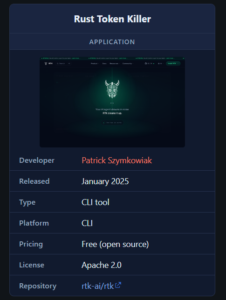
RTK (Rust Token Killer): Operates at the Terminal / Shell boundary. It intercepts command outputs (like git status, npm test, or cargo build) and removes verbose log bloat, boilerplate, and repetitive lines before passing the compressed text to the LLM.
Ponytail: Operates at the Code Generation / Codebase boundary. It enforces a “reuse-first” lazy dev approach that pushes the agent to write minimal boilerplate, write smaller diffs, and reuse existing functions.
Caveman: Operates at the Conversation / Prompt boundary. It forces the agent to communicate in telegraphic, high-signal, ultra-concise language (“caveman speak”) to cut back response/dialogue tokens.
Which Headroom Plan Should You Choose?
Free plan: Suitable for testing the editor and evaluating the results before paying.
Lite plan: A possible starting point for creators who publish a few short videos each week.
Pro plan: Worth considering for creators who regularly produce videos and need higher resolution exports.
Agency plan: Designed for agencies and editors handling larger volumes of video work.
The best plan depends on how many minutes of footage you process each month, the length of each video, and the export quality you need.
How to Use Headroom AI?
Getting started with Headroom is relatively straightforward.
Step 1: Visit the Official Website Open https://headroomapp.ai/ and explore the available editing features and subscription options.
Step 2: Upload Your Video Choose a talking-head video, educational clip, podcast segment, or another suitable short-form video.
Step 3: Generate Captions and AI Edits Let the platform process the video and generate captions or editing suggestions. Processing time may vary depending on the footage and workflow.
Step 4: Customize Your Captions Review the generated text, correct errors, choose a caption style, and adjust text placement and visual emphasis.
Step 5: Review the Final Video Watch the complete video before exporting. Check caption accuracy, readability, timing, and whether the effects suit your audience.
Step 6: Export and Publish Export the finished video using the available options and upload it to your preferred social media platform.
Headroom AI vs Traditional Video Editing
Traditional video editors generally provide extensive control over timelines, transitions, audio, visual effects, and color correction. However, manually captioning and styling many short clips can become repetitive.
Headroom focuses more narrowly on the workflow for talking-head videos, especially captions, word emphasis, AI-assisted edits, and export preparation.
The main difference is the intended workflow rather than a guarantee that one tool produces better results than another.
Choose Headroom if you primarily want to prepare captioned talking-head clips efficiently. Consider a full-featured editor if you need detailed control over every aspect of a video project.
Some creators may benefit from using both: Headroom for an initial captioning and styling pass, followed by another editor for advanced finishing.

Final Thoughts: Headroom AI Review
To conclude this Headroom AI Review, Headroom AI is a useful video editing platform to consider if you want to create engaging short-form videos with less manual effort. Its AI-assisted editing tools, dynamic captions, customizable text styles, and word-highlighting features can help content creators improve the presentation of their videos.
Whether you are a YouTuber, Instagram creator, educator, podcaster, or digital marketer, Headroom AI may help simplify repetitive editing tasks and maintain a consistent style across your content. However, its suitability depends on your editing requirements, video production volume, and preferred level of creative control.
Before choosing a paid subscription, consider testing the available free option and checking the latest pricing, export limits, and features on the official website.
Final verdict: Headroom AI is worth exploring for creators who regularly produce talking-head videos and want a more streamlined captioning and editing workflow. Evaluate its results using your own videos to determine whether it meets your expectations and provides good value for your needs.
Frequently Asked Questions About Headroom AI
What is Headroom AI used for?
Headroom is an AI-assisted video editing platform designed to help creators prepare talking-head videos and short-form content with dynamic captions, styling, word emphasis, and export tools.
Is Headroom AI free?
Headroom offers a free option with a one-time allowance of 10 minutes of video, according to its listed plan details. Paid subscriptions are available for users who need more processing capacity.
How much does Headroom AI cost?
The listed monthly prices are ₹299 for Lite, ₹799 for Pro, and ₹1,999 for Agency. Check the official pricing page for current rates and limits.
Does Headroom support Hindi and Hinglish?
Yes. Headroom advertises support for Hindi, Hinglish, and multiple other languages, including Indian regional languages.
Can beginners use Headroom AI?
Yes. Its AI-assisted workflow and caption customization tools may help beginners create short-form videos without manually building every caption and effect.
Is Headroom good for Instagram Reels and YouTube Shorts?
It is designed for short-form content, including talking-head clips that can be adapted for Reels and Shorts. Review the finished video and platform-specific formatting before publishing.
Can Headroom replace a professional video editor?
Not in every situation. It can help with captioning and talking-head editing, but advanced projects may still require dedicated video editing software.
Is Headroom worth paying for?
It may be worthwhile for creators who produce videos frequently and benefit from faster captioning and styling. The best way to assess its value is to test it with your own footage and compare the time saved with the subscription cost.