Flow AI review Flow AI review starts with a problem that almost every B2B salesperson, agency owner, or founder who uses LinkedIn knows well: finding prospects and following up with them takes a lot of time.
Finding the right people, checking their profiles, sending connection requests, writing personalized messages, and remembering when to follow up can quickly become a repetitive daily routine.
That’s where Flow AI comes in.
Flow AI is designed to bring several parts of the LinkedIn prospecting process together. It offers lead discovery, LinkedIn outreach automation, AI-assisted messaging, follow-ups, CRM functionality, and a unified inbox.
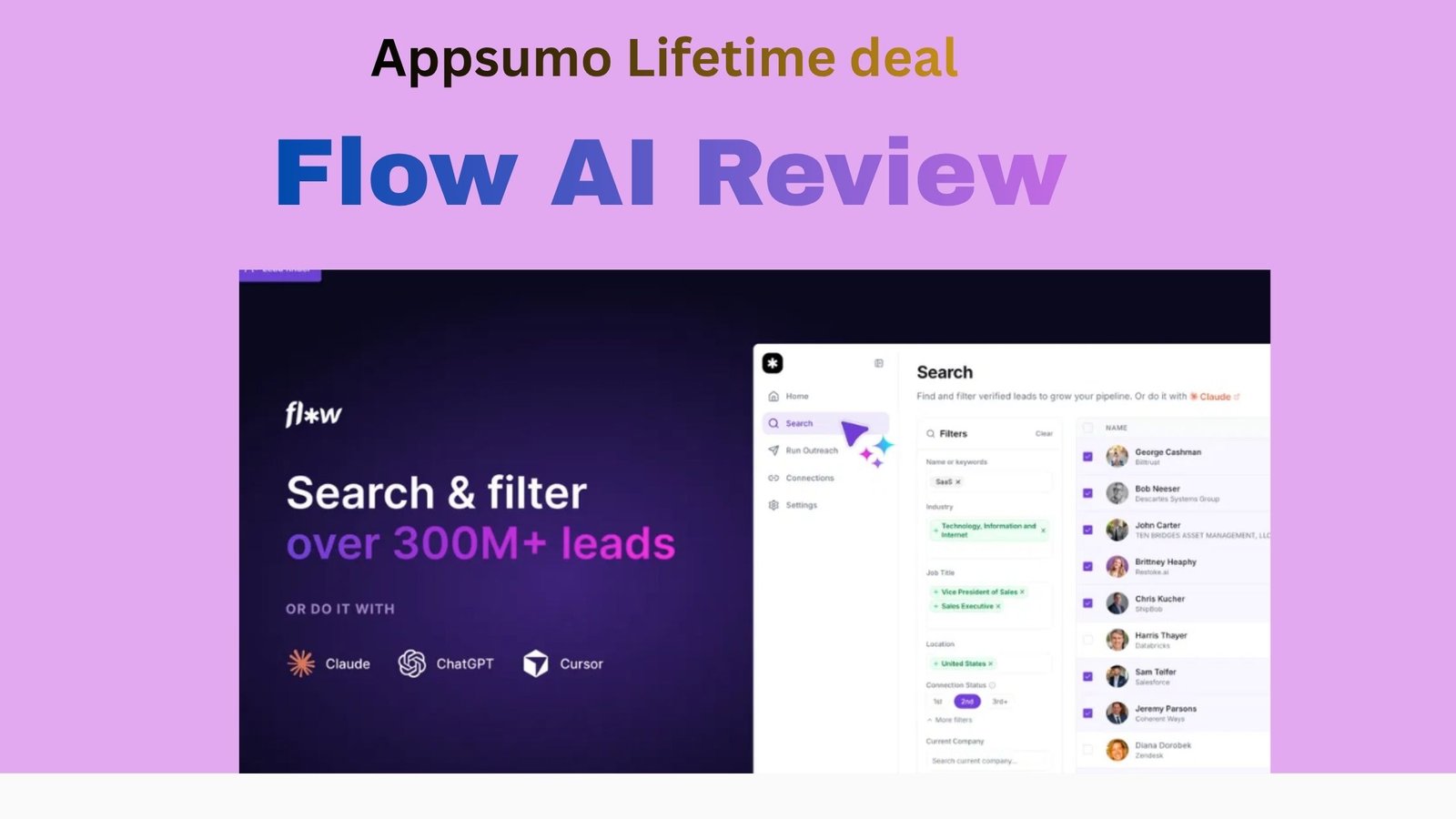
According to its current AppSumo listing, the platform provides access to a database of more than 300 million profiles, giving users a way to search for potential prospects without manually researching every person on LinkedIn.
But here’s the important question: does Flow AI actually make LinkedIn outreach easier, or is it simply another AI sales tool with impressive marketing?
I took a closer look at its features, workflow, pricing, advantages, and limitations to see what users can realistically expect from it in 2026.
Get Flow AI review Lifetime Deal
What Is Flow AI?
Flow AI is an AI-powered sales and lead-generation platform focused heavily on LinkedIn outreach.
Instead of using separate tools for finding leads, sending messages, managing follow-ups, and organizing conversations, Flow attempts to put these activities into one dashboard.
The platform is aimed primarily at:
- B2B sales teams
- Founders and startups
- Lead-generation agencies
- Recruiters
- Marketing agencies
- Freelancers
- Sales professionals
The basic workflow is simple: find prospects → create a campaign → reach out → manage replies → follow up.
That sounds straightforward, but the real value depends on how well Flow handles each part of that process.
Flow AI Features
-
LinkedIn Lead Generation
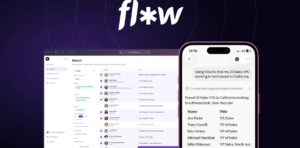
The lead database is one of Flow AI’s main attractions.
Instead of spending hours searching LinkedIn manually, users can search for potential prospects based on different criteria such as job title, location, industry, and company information.
Flow currently advertises access to 300M+ profiles, according to its AppSumo listing.
For someone doing outbound sales every day, having a large prospect database inside the same platform can save a considerable amount of research time.
However, having access to millions of profiles doesn’t automatically mean every lead will be useful. The quality of your filters and your ideal customer profile still matter.
-
LinkedIn Outreach Automation
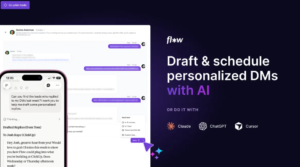
Once you’ve created your prospect list, Flow can help automate your outreach.
You can set up campaigns that handle connection requests, messages, and follow-ups.
This is particularly useful if you’re contacting a large number of prospects and don’t want to manually perform the same steps every day.
That said, automation should be used carefully. LinkedIn outreach works better when messages feel relevant and personal rather than like mass-produced sales pitches.
-
AI-Powered Messaging
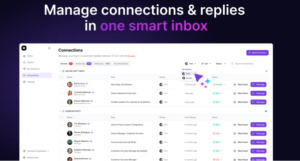
Another major feature is AI-assisted messaging.
Flow can help create messages based on the prospect and campaign you’re working with.
This can be useful if you regularly find yourself staring at a blank message box wondering what to write.
The important part is that AI-generated messages should still be reviewed before they’re sent. A little human editing can make a big difference in making an outreach message sound natural.
-
Agent Maya
Flow also offers an AI agent called Maya, which is designed to assist with prospecting and LinkedIn conversations.
Rather than only helping write an opening message, the concept is to have AI assist throughout parts of the sales conversation.
This is potentially more useful than a basic AI copywriting feature because real outreach doesn’t stop after the first message.
A prospect might ask a question, show interest, object to the offer, or simply need another follow-up.
Having AI assistance during these stages can save time, although I’d still recommend keeping human oversight over important sales conversations.
-
CRM
Flow isn’t only about finding leads.
It also includes CRM functionality for organizing prospects and conversations.
This is useful because once your outreach starts generating replies, things can get messy very quickly.
A built-in CRM makes it easier to see where different prospects are in your sales process instead of maintaining a separate spreadsheet.
-
Unified Inbox
The unified inbox is another practical feature.
Rather than jumping between different conversations and tools, you can manage responses from one location.
For sales teams dealing with lots of LinkedIn conversations, this can make the daily workflow considerably easier.
-
Multiple LinkedIn Accounts
Higher Flow AI plans support multiple LinkedIn accounts.
This is particularly relevant for agencies and sales teams where several people are conducting outreach.
Instead of treating every account as a completely separate operation, the team can manage multiple senders from the same platform.
Flow AI Pricing Visit affihub.io
Pricing is one area worth checking carefully before purchasing because software plans and lifetime-deal terms can change.
At the time of writing, Flow AI is available through AppSumo with lifetime-access tiers starting at $69.
The listed tiers include:
Tier |
Price |
|
|
| Tier 1 | $69 | 1 | |
| Tier 2 | $149 | 3 | |
| Tier 3 | $279 | 10 |
The exact features, credits, limits, and promotional pricing may change, so check the current offer before making a purchase.
For someone who uses LinkedIn outreach regularly, the lifetime model may be attractive compared with adding another monthly SaaS subscription.
For casual LinkedIn users, however, paying for an automation platform may not make much sense.
What I Like About Flow AI
There are several things that stand out when looking at Flow.
Everything is connected
The biggest advantage is probably the all-in-one approach.
Lead generation, outreach, follow-ups, conversations, and CRM functionality don’t have to be spread across multiple applications.
Large lead database
The advertised 300M+ profile database gives users plenty of potential prospects to work with.
AI saves time
Generating initial messages and getting assistance with conversations can reduce some of the repetitive work involved in outbound sales.
Good for agencies and teams
Multiple-account support on higher plans makes Flow more relevant for agencies and teams than a tool designed solely for individual users.
Lifetime deal
The lifetime option may appeal to users who don’t want another recurring monthly software expense.
What I Don’t Like About Flow AI
Flow isn’t perfect, and there are a few things potential users should understand.
Automation doesn’t guarantee results
This is probably the biggest point.
Flow can automate prospecting and outreach, but it can’t guarantee that people will respond or become customers.
Your offer, targeting, messaging, and sales process still matter.
AI messages need editing
AI can produce a decent starting point, but sending every message exactly as generated can make your outreach feel generic.
LinkedIn automation requires caution
Users should understand LinkedIn’s current policies and use automation responsibly. No third-party tool can remove the risks associated with inappropriate or excessive automation.
Relatively young product
Flow is a newer product compared with established sales platforms. That isn’t necessarily a problem, but potential buyers should consider the product’s development history and how quickly its features are evolving.
Who Should Use Flow AI?
Flow AI could be worth considering if LinkedIn is an important part of your sales strategy.
It’s particularly relevant for:
B2B salespeople: Find prospects and automate repetitive outreach tasks.
Founders: Useful if you’re handling your own outbound sales and don’t want to spend hours prospecting.
Lead-generation agencies: Multiple-account functionality can be useful when managing campaigns for different clients.
Recruiters: Searching large numbers of potential candidates can make a lead database useful.
Marketing agencies: Agencies can use the platform as part of a broader outbound strategy.
On the other hand, if you only send a few LinkedIn messages each month, you probably won’t get much value from a dedicated automation platform.
Is Flow AI Worth It in 2026?
The answer depends heavily on how you use LinkedIn.
If LinkedIn is already an important source of leads for your business, Flow AI has several features that could make prospecting more organized and less repetitive.
Its combination of lead discovery, automation, AI messaging, CRM, and conversation management is more useful than having a tool that simply sends automated messages.
But it’s important to have realistic expectations.
Flow AI can automate the process. It cannot automate a good sales strategy.
You still need to know who your ideal customers are, what problem you’re solving, and why someone should care about your offer.
Final Verdict Flow AI Review
Final Verdict After looking at the platform’s current feature set, this Flow AI Review 2026 finds it an interesting option for businesses that rely heavily on LinkedIn for outbound prospecting.
Its biggest strength is the combination of several sales functions in one platform. Instead of jumping between a lead database, outreach tool, CRM, and AI writing assistant, Flow attempts to bring everything together.
The large prospect database and AI-assisted outreach are particularly useful for people who spend a significant amount of time doing LinkedIn prospecting.
However, automation should be treated as a productivity tool rather than a shortcut to guaranteed sales.
If you already have a solid offer and a clearly defined target audience, Flow can potentially take some of the repetitive work off your plate.
Overall, this Flow AI Review 2026 suggests that Flow AI is worth considering for active LinkedIn users who want to streamline lead generation and outreach.
Frequently Asked Questions of Flow AI Review
What is Flow AI?
Flow AI is a sales and lead-generation platform that combines LinkedIn prospecting, outreach automation, AI-assisted messaging, CRM, follow-ups, and conversation management.
How much does Flow AI cost?
The current AppSumo offer starts at $69 for lifetime access, although pricing and deal terms can change.
Does Flow AI work with LinkedIn?
Yes. LinkedIn prospecting and outreach are central parts of the platform.
Does Flow AI generate leads automatically?
Flow can help users find and organize potential prospects using its lead database and search functionality. However, users still need to define their target audience and campaign requirements.
Is Flow AI suitable for agencies?
It can be. Higher tiers support multiple LinkedIn accounts, which can be useful for agencies and sales teams.
Is Flow AI a CRM?
Flow includes CRM functionality, but its main focus is LinkedIn-based lead generation and sales outreach.
Is Flow AI worth buying?
That depends on how frequently you use LinkedIn for sales and how much value you place on automation. Users should compare the current pricing, account limits, credits, and features with their actual outreach needs before purchasing.