Table Content of Group Collector Review 2026
-
Group Collector Overview
-
What Is Group Collector?
-
How Does Group Collector Work?
-
Key Features of Group Collector
-
Automatic Email Collection
-
Google Sheets Integration
-
Email Marketing Integrations
-
Automatic Member Approval and Decline
-
Personalized Welcome Messages
-
Historical Member Data Export
-
Group Collector Lifetime Deal & Pricing 2026
-
Group Collector Pros and Cons
-
Group Collector Alternatives
-
Who Should Use Group Collector?
-
Is Group Collector Worth It?
-
Frequently Asked Questions (FAQ)
-
Final Verdict
Managing a Facebook Group can be a great way to build an online community, connect with potential customers, and generate leads. However, as your group grows, handling new member requests, collecting email addresses, saving member information, and sending welcome messages can become time-consuming.
This is where Group Collector comes in.
Group Collector is a Facebook Group automation tool designed to simplify member management and lead collection. It helps group administrators collect membership answers, capture email addresses, send information to Google Sheets, and connect with popular email marketing platforms.
In this Group Collector Review 2026, we’ll explore its features, how it works, pricing, integrations, advantages, disadvantages, and whether it’s a good investment for Facebook Group owners.
Get Group Collector Review 2026 Lifetime Deal
What Is Group Collector?
Group Collector is a Chrome extension that helps Facebook Group owners automate the process of collecting information from new members.
When someone requests to join your Facebook Group, you can ask questions such as their name, email address, location, or interests. Group Collector captures the answers when you approve members and automatically sends the information to your connected tools.
Instead of manually copying and pasting information, you can build an organized lead database using Google Sheets and supported email marketing platforms.
The platform is particularly useful for:
- Facebook Group administrators.
- Affiliate marketers.
- Digital marketers.
- Online coaches and consultants.
- Bloggers and content creators.
- Business owners building email lists.
Key Features of Group Collector
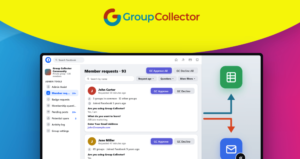
1. Automatic Email Collection
One of the most useful features is automatic email collection. When new members answer your Facebook Group membership questions, Group Collector captures their email addresses during the approval process.
This helps you build an email list without manually checking individual member profiles.
2. Google Sheets Integration
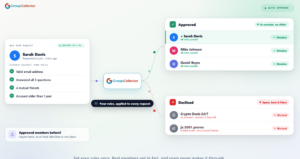
Group Collector automatically sends collected member information to Google Sheets.
You can organize information such as names, email addresses, and membership answers in one place. This makes it easier to manage leads, track new members, and maintain an organized database.
3. 44+ Email Marketing Integrations
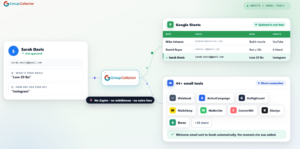
Connecting your Facebook Group with your email marketing platform can help you build stronger relationships with new members.
Group Collector supports direct integrations with popular services, including:
- Mailchimp
- ActiveCampaign
- ConvertKit (Kit)
- HubSpot
- GoHighLevel
- MailerLite
- GetResponse
- Brevo
- AWeber
- Flodesk
It also supports webhooks for custom connections. This means you can send collected information to supported marketing tools without relying on Zapier.
4. Automatic Member Approval and Decline
Managing hundreds of membership requests manually can be difficult.
Group Collector lets you create rules to automatically approve or decline new members based on your requirements.
For example, you can decline requests when applicants:
- Do not provide an email address.
- Leave required questions unanswered.
- Do not agree to your group rules.
This helps reduce repetitive moderation work.
5. Personalized Welcome Messages
First impressions matter when someone joins your community.
Group Collector allows you to send personalized welcome messages using information provided in membership answers.
You can create message templates and use details such as a member’s name, location, or interests to make your messages more relevant.
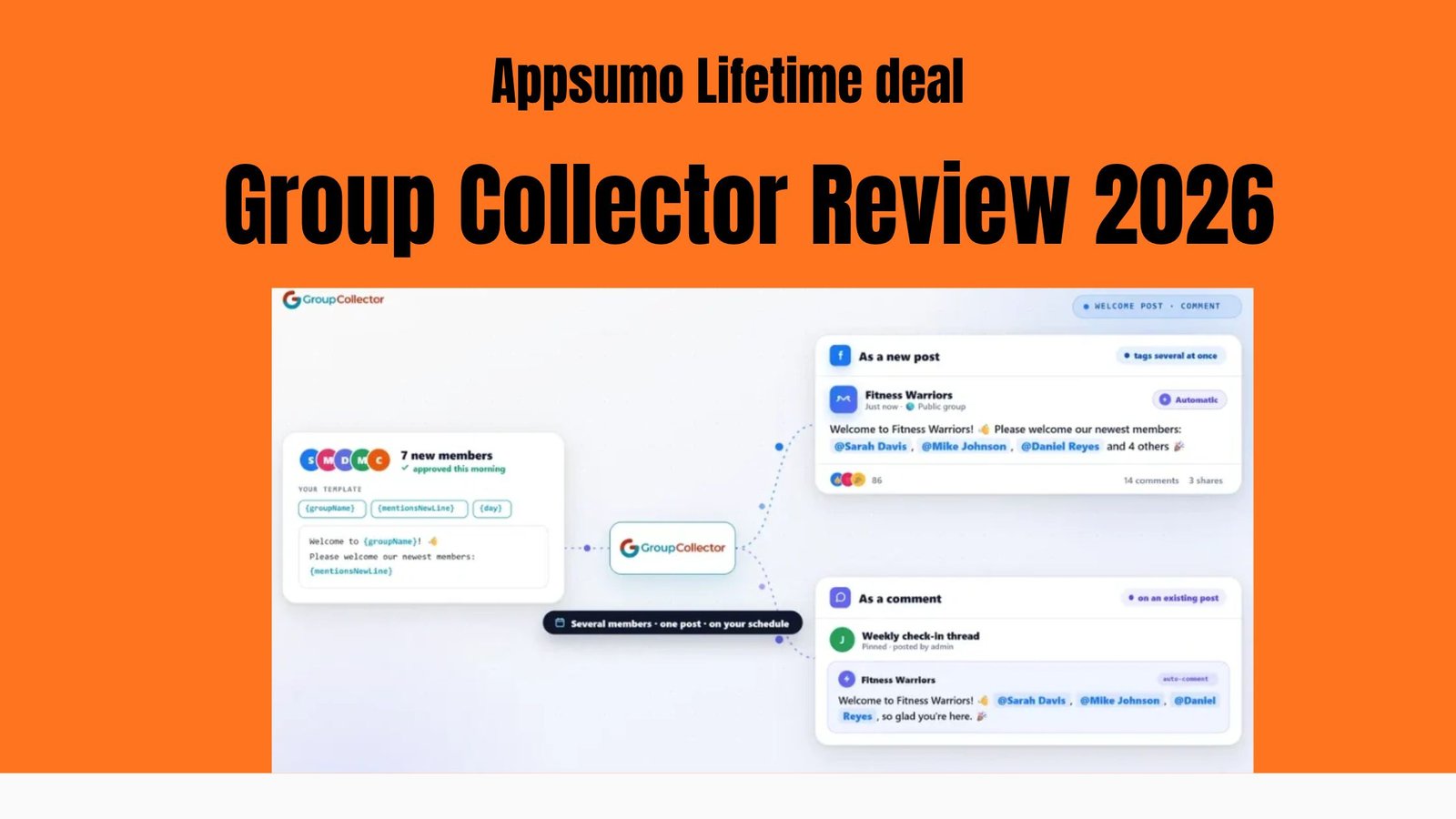
6. Automated Welcome Posts
Another useful feature is automated welcome posts.
The tool can collect newly approved members and mention them in a group post or a comment on a pinned thread. You can also use rotating templates to make your welcome messages feel less repetitive.
This is helpful for administrators managing active communities.
7. Historical Member Data Export
Already have a large Facebook Group with hundreds or thousands of existing members?
Group Collector offers historical data export, allowing you to recover available membership answers from members who joined before installing the extension.
This can help group owners organize previously collected information instead of starting from zero.
8. Smart Email Extraction
Sometimes people include their email addresses within longer answers rather than entering them separately.
Group Collector can identify and extract valid email addresses from membership answers, helping reduce missed leads.
9. Pre-Approval and Decline Messages
You can communicate with applicants before making an approval decision.
If someone forgets to provide an email address or other required information, you can request the missing details. You can also provide helpful decline messages instead of rejecting applications without an explanation.
How Does Group Collector Work?
Getting started with Group Collector is relatively simple. You don’t need advanced technical knowledge to use its basic features.
Here is how the process works:
Step 1: Install the Chrome Extension
Visit the official Group Collector website and start your free trial. Install the Chrome extension and connect your account.
Step 2: Connect Google Sheets
Choose your Google Sheet and connect your preferred email marketing platform from the dashboard.
Step 3: Set Up Facebook Membership Questions
Add questions to your Facebook Group membership settings. Include an email question if you want to collect email addresses.
Step 4: Approve New Members
When someone requests to join your group, use the Group Collector approval option. The extension captures the submitted answers during the approval process.
Step 5: Automatically Sync Your Data
The collected information is sent to your connected Google Sheet and supported email marketing platform.
Once everything is configured, you can reduce manual work and focus more on growing your Facebook community.
Group Collector Lifetime Deal: Plans & Pricing 2026
If you’re looking for an affordable way to automate Facebook Group management and collect leads, the Group Collector lifetime deal is worth considering.
Unlike a monthly subscription, the AppSumo deal offers a one-time payment option.
Group Collector AppSumo Pricing Visit affihub.io
| Plan | One-Time Price |
|---|---|
| 1 Code | $79 |
| 2 Codes | $158 |
Is the Group Collector Lifetime Deal Worth It?
The $79 plan is a good starting point for individuals and small Facebook Group owners who want to automate member approvals, collect email addresses, and organize leads.
The $158 option may be worth considering if its additional license benefits match your requirements.
Before purchasing, check the current AppSumo deal page for code stacking rules, feature limits, and lifetime access terms.
My recommendation: Start with one code if you’re new to Group Collector. You can consider additional codes when you need more capacity or features.
Pros and Cons of Group Collector
Pros
- Saves time by automating repetitive Facebook Group tasks.
- Automatically collects membership answers and email addresses.
- Integrates with Google Sheets.
- Supports 44+ direct integrations.
- No Zapier subscription required for supported direct integrations.
- Offers automatic approval and decline rules.
- Personalized welcome messages.
- Historical member data export.
- Unlimited Facebook Groups on both plans.
Cons
- Designed specifically for Facebook Groups.
- Requires Google Chrome and a desktop browser environment.
- Initial setup requires connecting your Facebook Group and marketing tools.
- Automation depends on Facebook’s interface and compatibility.
- The lifetime plan requires a higher upfront payment.
Who Should Use Group Collector?
Group Collector is a useful option for people who regularly manage Facebook communities and want to turn new member requests into organized leads.
Facebook Group Owners: Reduce manual approval work and keep membership information organized.
Affiliate Marketers: Collect voluntarily submitted email addresses and connect them to email marketing campaigns.
Online Coaches: Welcome new community members and organize their interests for future communication.
Digital Marketers: Build an organized contact database and simplify lead management.
Content Creators: Spend less time on repetitive administration and more time creating useful content.
However, if you rarely receive new membership requests or manage your Facebook Group entirely from a mobile phone, this tool may not be necessary.
Group Collector Alternatives
If you are comparing Facebook Group automation tools, here are some alternatives worth exploring:
| Tool | Best For |
|---|---|
| Group Collector | Member approval, email collection, and automation |
| Group Leads | Facebook Group lead generation |
| Groupboss | Member data collection and automation |
| GroupConvert | Facebook Group lead capture |
| GroupKit | Facebook Group CRM and member management |
Each platform has different features and pricing, so compare its current plans before choosing.
Is Group Collector Safe to Use?
Group Collector is designed to capture information that applicants voluntarily submit through Facebook Group membership questions.
However, collecting email addresses does not automatically give you permission to send unlimited marketing emails.
You should follow applicable privacy and email marketing regulations, respect members’ communication preferences, and provide an unsubscribe option where required.
Also, remember that browser extensions depend on Facebook’s interface, which can change over time.
Frequently Asked Questions (FAQ)
1. What is Group Collector used for?
Group Collector is used to automate Facebook Group member onboarding, collect membership answers, capture email addresses, and sync information with Google Sheets and email marketing platforms.
2. Does Group Collector work without Zapier?
Yes. It offers direct integrations with more than 44 marketing platforms, so you don’t need Zapier for supported connections.
3. Does Group Collector support Google Sheets?
Yes. It automatically transfers collected member information into connected Google Sheets.
4. How much does Group Collector cost?
The official website currently lists a Pro plan at $25 per month and an Enterprise Lifetime plan at $297 as a one-time payment.
5. Does Group Collector offer a free trial?
Yes. It offers a 7-day free trial with access to its features.
6. Can I use Group Collector with multiple Facebook Groups?
Yes. Both current pricing plans advertise unlimited Facebook Groups.
7. Is Group Collector suitable for affiliate marketers?
Yes. Affiliate marketers can use it to organize voluntarily submitted member information and connect new leads with supported email marketing platforms.
Final Verdict: Is Group Collector Worth It?
The Group Collector Review 2026 shows that Group Collector could be a useful tool for people who want to simplify group management and save time on repetitive tasks. Its value depends on your specific needs, workflow, and how frequently you manage online groups.
If you regularly work with multiple groups and want a more organized way to handle group-related activities, Group Collector may be worth considering. However, before purchasing, compare its features, pricing, and limitations to make sure it offers enough value for your business.
Overall, Group Collector is worth exploring if its features match your group management requirements and budget.
My final recommendation: If Facebook Groups are an important part of your lead generation or online marketing strategy, Group Collector is worth trying through its 7-day free trial before committing to a paid plan.