For brands focused on video marketing in 2025, it’s a critical investment that eliminates technical barriers, boosts efficiency, and lets creators produce stunning, engaging content faster than ever before.
In 2025, Mootion has emerged as one of the most talked-about AI video-creation tools, promising to turn simple ideas or scripts into complete videos with minimal effort.
As AI-generated content continues to redefine how creators, marketers, and businesses produce video, Mootion positions itself as a fast, accessible solution for anyone who wants to generate polished short-form content without learning complex editing software.
With the rapid rise of competing AI video platforms, an important question remains: Does Mootion truly deliver on its promise — and is it worth using in 2025?”
Get Mootion 2025 Review Appsumo Lifetime Deal
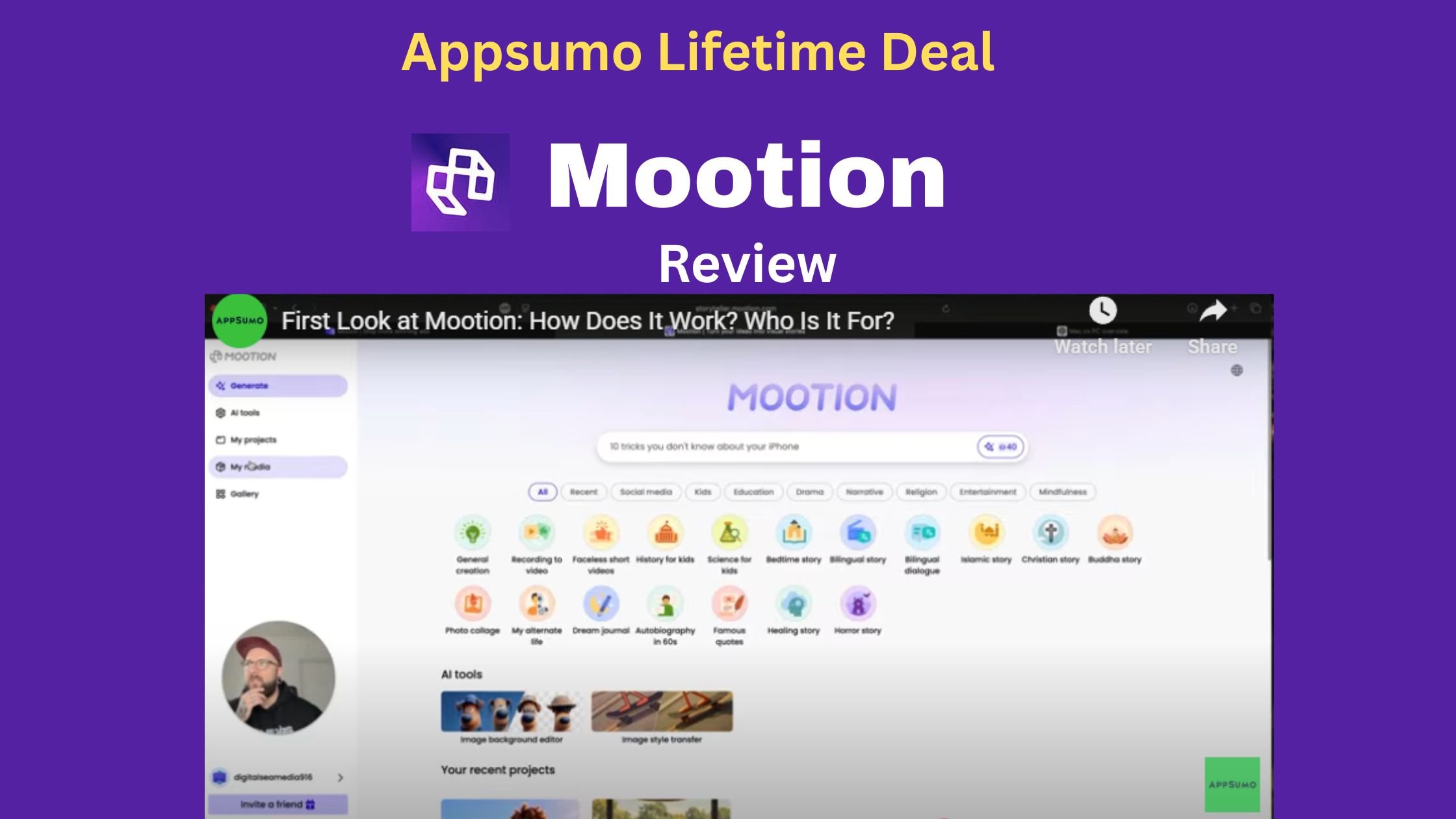
What is Mootion?
Mootion is an AI-powered video creation platform designed to make video production fast and accessible by turning simple ideas into engaging visual stories.
It streamlines the entire process with a four-step workflow, automatically handling tasks like timeline alignment, effects, and transitions—eliminating the need for advanced editing skills. The platform supports multiple input types, including text, scripts, audio, and video, and offers AI-generated music along with a wide range of animation styles, from photorealistic visuals to 3D cartoons.
With multi-language support and seamless integration with popular tools, Mootion is well-suited for creating social media clips, educational content, marketing videos, and more.
Its standout strengths—AI-driven automation and extensive language capabilities—make it a valuable solution across various industries.
Ideal For
- Content creators
- Educators and trainers
- Marketing professionals
Similar Platforms
- Descript,
- Powtoon
Key Feature of Mootion AI Video Generator
Versatile Input & Creation
Mootion excels at generating videos from nearly any starting point:
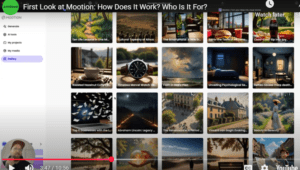
- All-in-One Prompt-to-Video: Instantly generate a full video story (including visuals, pacing, and narration) from a single text prompt or idea.
- Multiple Input Formats: Create videos from:
- Text/Scripts: Paste a script or article.
- Images/Video Clips: Upload a still image; the AI animates it (Image-to-Video).”
- Audio/Voice Recordings: Upload an audio file, and the AI will create visuals and automatically sync the video to your voice or podcast (Audio-to-Video).
Advanced Storytelling & Visual Control
These features give you professional-level output without the technical overhead:
- AI Cinematic Editor: Automatically handles complex production elements like shot composition, dynamic camera movements (pans, zooms, tilts), and atmospheric color grading to give your videos a film-quality look.
- Precise Pose & Motion Control: For character-focused scenes, you can precisely control the poses and actions of characters in 3D space.
- Scene-Based Editing: Instead of a complex, timeline-based editor, Mootion uses an intuitive scene list for quick organization, editing, splitting, and merging video segments.
- Long-Form Video Support: The AI is designed to maintain narrative continuity and consistent character appearance across videos lasting over 10 minutes (useful for documentaries and full training modules).
Assets and Customization
- Lifelike AI Avatars: Choose and customize realistic, human-like AI avatars that feature accurate lip-syncing to the script.
- Diverse Styles: Animate videos in various styles, including photorealistic, 3D cartoon, and comics.
- AI Narration & Music: Automatically generates realistic voiceovers and can incorporate AI-generated background music and sound effects.
- Smart Templates: A library of ready-made layouts optimized for various use cases (social media, marketing, education, product demos) for a quick start.
Mootion Pricing Plans Click Here
Feel secure in your purchase with AppSumo’s 60 day money-back guarantee.
| Features
|
First License Tier
|
Second License Tier
|
Third License Tier
|
| Price
|
$69 (lifetime)
|
$129 (lifetime)
|
$269 (lifetime)
|
| Monthly Credits
|
1750
|
3500
|
8,000
|
| Prompt Characters
|
20,000
|
20,000
|
50,000
|
| Storage Capacity
|
12GB
|
25 GB
|
115 GB
|
| Max Scenes per Project
|
16
|
32
|
32
|
| Resolution
|
1080p
|
1080p
|
1080p
|
| Video Clip Generation
|
Included
|
Included
|
Included
|
| Commercial Use Rights
|
Yes | Yes | Yes |
| Multi-Modal Input
|
Supported
|
Supported
|
Supported
|
| All Visual Styles Available
|
Yes | Yes | Yes |
| No Watermark
|
Yes | Yes | Yes |
| Enhanced Voiceovers
|
More realistic voices
|
More realistic voices
|
More realistic voices
|
| AI Image Editing
|
Included
|
Included
|
Included
|
| Priority Rendering
|
Yes | Yes | Yes |
| Ultra-Realistic Voiceovers (Limited)
|
Yes | Yes | Yes |
| Ultra-Realistic Voiceovers (Unlimited
|
Not included
|
Not included
|
Included
|
Recommendation Summary
Choose First Tier ($69) if: You are budget-conscious, new to AI video, and only plan to make a few short videos a month.
Choose Second Tier ($129) if: You are a serious content creator or marketer who needs reliable output for multiple projects and requires the ability to create longer, 32-scene videos. This is often the best value for the average professional user.
Choose Third Tier ($269) if: Your video production is high-volume, you are running an agency, or you create long-form educational/corporate videos and need the largest credit allowance and storage capacity.
Who Should Use Mootion
| User Group
|
Primary Benefit
|
Specific Use Cases
|
| Content Creators
|
Speed, Volume, & Uniqueness
|
Quickly spinning existing research, repurposing long-form blogs into social media posts, generating catchy headlines/captions, and ensuring content uniqueness for SEO.
|
| Marketers
|
Tone, A/B Testing, & SEO
|
Creating multiple versions of ad copy or email subject lines for A/B testing, optimizing existing content for search engine ranking, and adapting content to fit a specific brand voice (professional, casual, persuasive).
|
| Educators
|
Clarity, Material Preparation, & Grading
|
Simplifying complex research papers for student handouts, generating new question prompts or assignment variations, and ensuring students’ work is original (often includes Plagiarism and AI detection).
|
Key Features That Benefit All Three Groups
These sophisticated tools go far beyond simple word replacement. The best ones include a suite of features vital for professionals:
- Multiple Modes: Offer different tones or styles, such as “Standard,” “Fluency,” “Creative,” “Formal,” and “Shorten/Expand.”
- Plagiarism Check: Built-in ability to check the rewritten text against web sources to help users avoid accidental plagiarism.
- AI Detection & Humanization: Tools to check if text is AI-generated and a function to “humanize” AI-written content to make it sound more natural and unique.
- SEO Optimization: Suggesting keywords and ensuring the rewritten content is structured for better search engine performance.
- Multi-Language Support: Ability to rewrite or translate content in multiple languages, crucial for global marketing and diverse classrooms.
Mootion AI Video Generator: Pros & Cons (2025)
| Category | Pros | Cons |
| Creation | Rapid Full Video Generation: Creates entire videos (visuals, narration, pacing) from a single prompt or script in minutes.
|
High Credit Consumption: Credits are used quickly, especially for longer, more complex, or re-generated scenes.
|
| Output Quality
|
Professional & Cinematic Visuals: High-quality output with smooth transitions, dynamic camera work, and striking effect.
|
Inconsistency: Visual coherence (e.g., character appearance, object realism) can sometimes break down across multiple scenes.
|
| Usability
|
Intuitive Interface: Very easy to use, even for beginners, removing the need for complex editing skills.
|
Limited Manual Editing: Lacks the fine-grained, frame-by-frame control found in traditional video editing software.
|
| Assets & Style
|
Versatile Input: Accepts text, images (Image-to-Video), and audio (Audio-to-Video).
|
Language Limitations: Some major and smaller languages are not fully supported, and voice quality can vary (e.g., robotic).
|
| Key Features
|
No Watermarks (Paid/LTD): Professional output without branding restrictions. Includes realistic AI Avatars and voiceovers.
|
Resolution & Consistency Issues: Some users report that downloaded videos may appear closer to 480p than the advertised 1080p.
|
Final Thought
Mootion offers exceptional value by blending advanced AI automation with a user-friendly design, making high-quality video production accessible to everyone from beginners to professionals.
For brands focused on video marketing in 2025, it’s a critical investment that eliminates technical barriers, boosts efficiency, and lets creators produce stunning, engaging content faster than ever before.
Mootion AI Video Generator: FAQ
| Question
|
Answer
|
| What is Mootion?
|
A revolutionary AI platform that quickly generates high-quality, professional video stories from text, images, or audio inputs.
|
| How does it work?
|
You provide a prompt, script, or asset, and the AI automatically handles scriptwriting, visuals, editing, voiceover, and pacing.
|
|
Can I make long videos?
|
Yes, Mootion is designed for long-form content. While scenes are limited per project (e.g., 32 scenes for up to 8 minutes), you can merge multiple projects externally.
|
| How do Credits work?
|
Credits are consumed based on the prompt/video length. There is a base cost to generate a video, with additional credits used for re-generations or complex animations (e.g., 8–16 credits/sec for animation).
|
| Is there a free plan?
|
Mootion is now primarily a paid product. You need a paid plan (or an LTD) to create and download videos without watermarks.
|
| Can I use it commercially?
|
Yes, all paid plans (including the Lifetime Deal tiers) include General Commercial Use rights.
|
| Does it support 4K?
|
Yes, the platform supports high-resolution output, often including 1080p and 4K, depending on the plan and source quality.
|
More Appsumo Deal Visit Affihub